
← Help and guides Guide / Running an event

Add
/ entrants.

Give a place in your event to an athlete on Fiz, or share a personal link to one. Every entrant has their own Fiz account, so their results and patch are theirs.

For
Organisers
Time
1 minute a place
You need
An event with Entry turned on

Athletes usually add themselves with sign-up on Fiz. You can also give a place yourself, from the Entrants tab: find the athlete on Fiz, or share a link. Everyone who enters has their own Fiz account.

See everything Fiz for events includes, from entries and payments to live results and patches.

01

Open Entrants

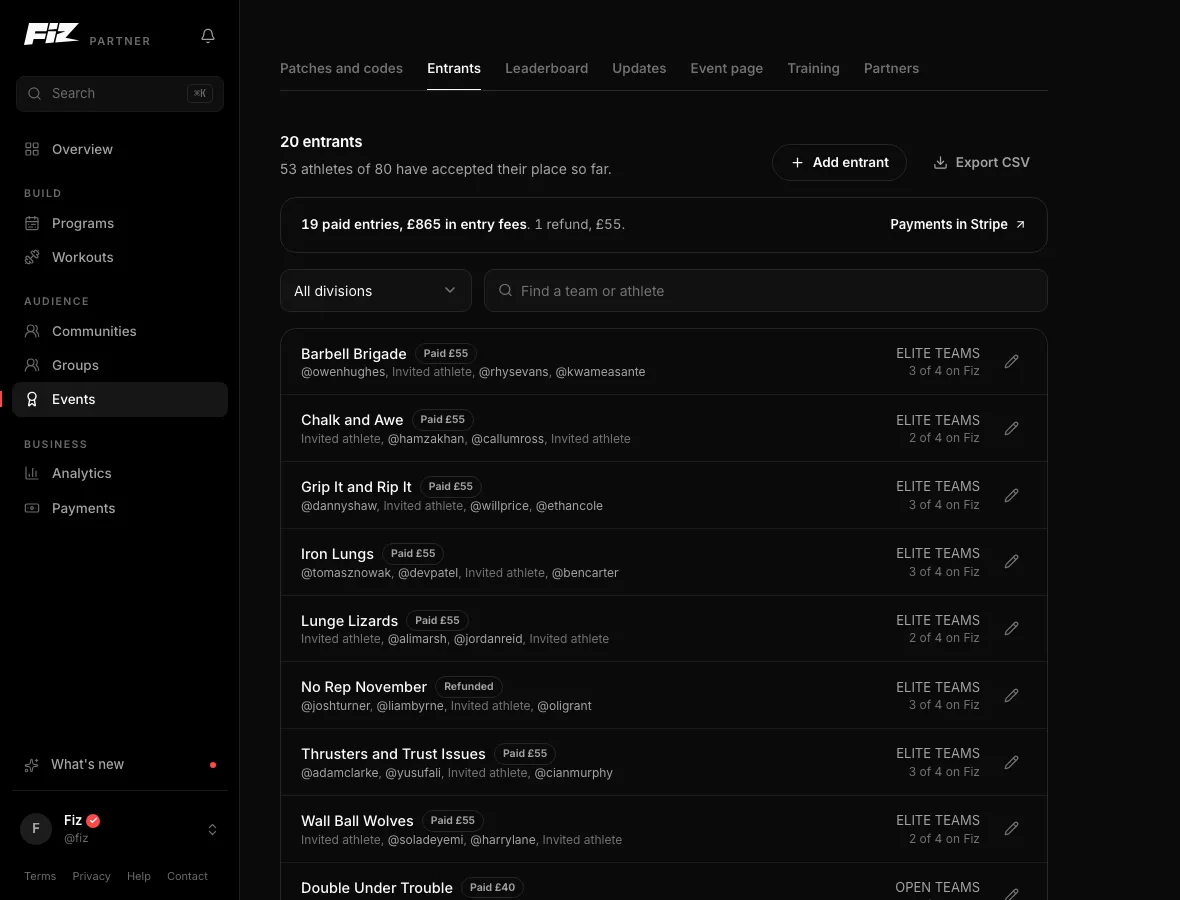
Open the event's Entrants tab, or the Divisions step while you set it up, and choose Add entrant. Pick the division. For a pairs or team division, give the team its name.
partner.joinfiz.com/dashboard/events
The Entrants tab: Add entrant, Export CSV and every entrant, with places still waiting shown as Invited athlete.
The Entrants tab: Add entrant, Export CSV and every entrant, with places still waiting shown as Invited athlete. Example data.
02

Find them on Fiz

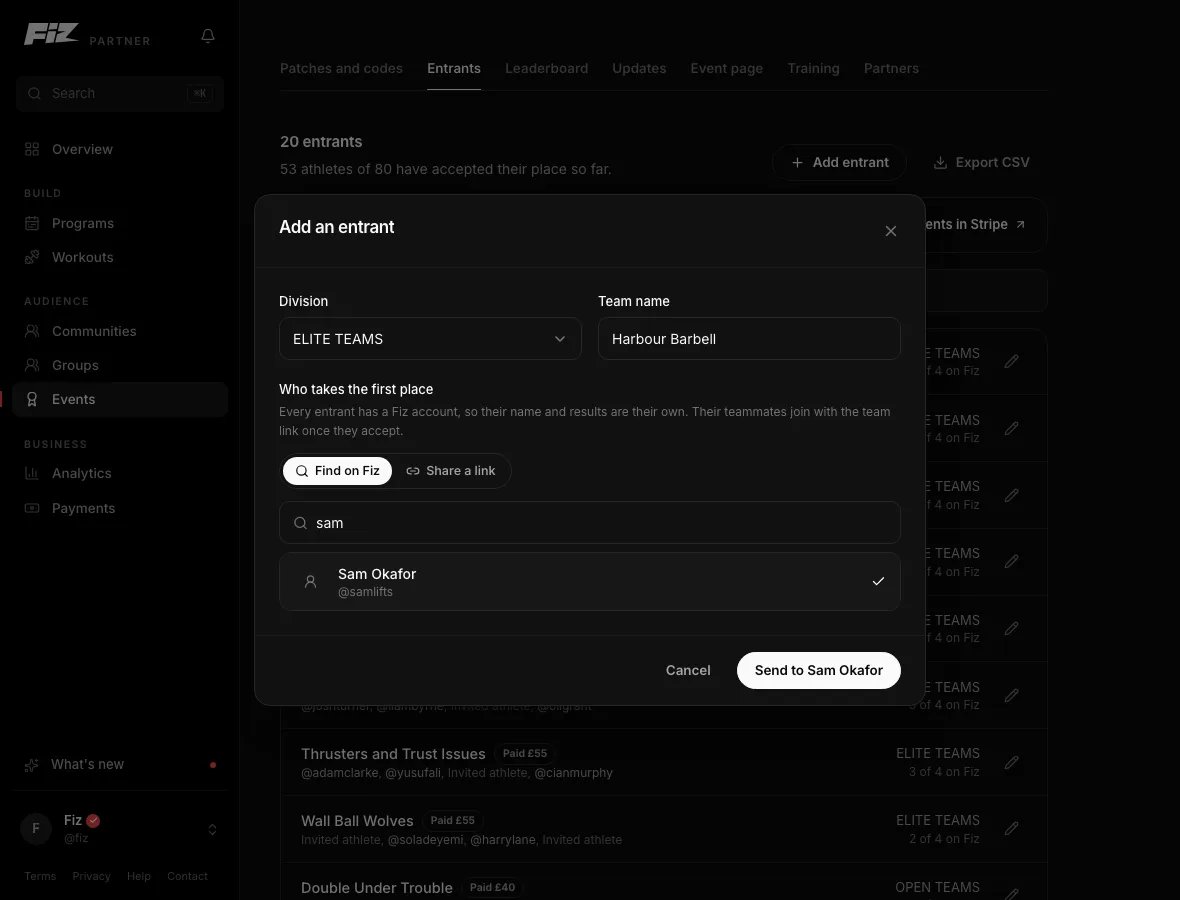
Choose Find on Fiz and search by name or username. Pick the athlete and send the place. They get a notification and accept it in the app. Until they do, the place shows as Invited athlete.
partner.joinfiz.com/dashboard/events
Add an entrant: pick the division, name the team, then find the athlete on Fiz and send them the place.
Add an entrant: pick the division, name the team, then find the athlete on Fiz and send them the place. Example data.
03

Or share a link

Choose Share a link and copy the place's personal link. Send it however you like: email, a message or your own entry platform. Whoever opens it signs in, or makes a free account, and accepts the place.

04

Teams fill themselves

On a team, the athlete who accepts first becomes captain and invites the rest with the team link. You only ever type the team's name.

Run it on Fiz for Business30 days free, then £29 a month. Programs, selling, communities and events are all included.

Start 30 days free →

Common questions

My athletes registered somewhere else.
Turn on free sign-up. They join the leaderboard on Fiz with their own accounts, and you approve each one against your list.
Can I import a spreadsheet of entrants?
No. Every entrant has their own Fiz account, so Fiz never holds the names of people who are not on Fiz. Find them on Fiz or share a link instead.
Someone got the wrong place.
Open their entry and choose Give place to someone else. The old link stops working, and anyone who loses the place is emailed.
What does this cost?
No event fee when athletes sign up on Fiz. An event that takes entries somewhere else is £99 + VAT, one-off.

Still stuck? Email [email protected] and we will help.

Fiz for Business

30 days
/ free.

Start 30 days free
Then £29 a month. Programs, selling and events included.