
An organiser can give you a place in their event: they find you on Fiz, or send you a personal link. Accepting it puts your results and your patch on your Fiz profile.
Organising an event yourself? See Fiz for events.
Open the invite
If the organiser found you on Fiz, you get a notification: they gave you a place. Tap it. If they sent you a link, open it on your phone. No account yet? You make a free one first.
Check it is you
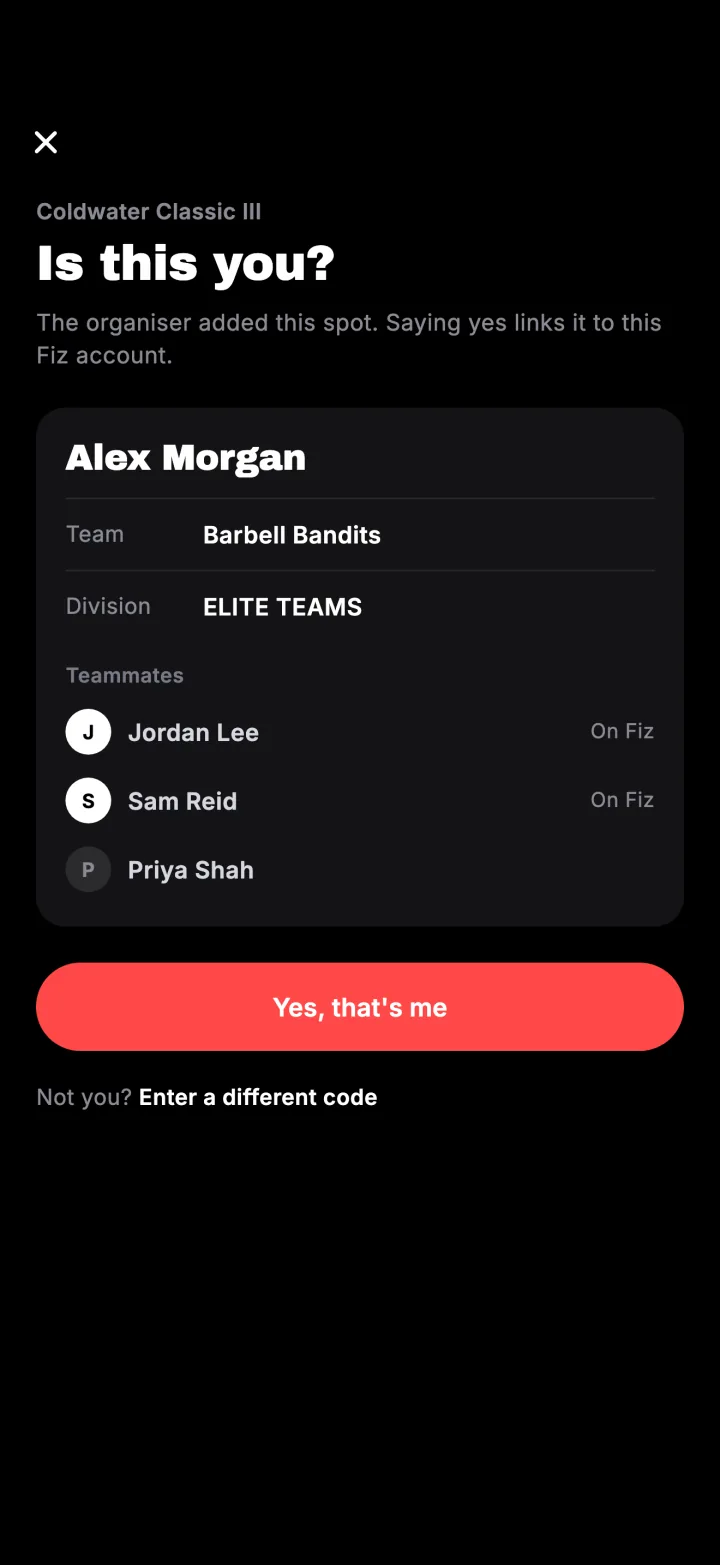
Fiz shows the event, the division and the team, if there is one, and asks Is this you? Tap yes to take the place with the account you are signed in with.
Done
The place is yours, under your own Fiz name. Your results show on your profile as the organiser publishes them, and if the event gives patches, yours arrives with your placing. On a team, your teammates join with the team link.
Try it in the appFiz is free on iOS and Android.
Get the app →Common questions
Does accepting ever close?
It says the place was sent to another account.
I have a code starting with S-.
Why not just match my email?
Still stuck? Email [email protected] and we will help.