
Your event's leaderboard runs from the event in your dashboard. Nothing is public until you publish it, so you can enter and check scores in private first.
See everything Fiz for events includes, from entries and payments to live results and patches.
Enter the scores
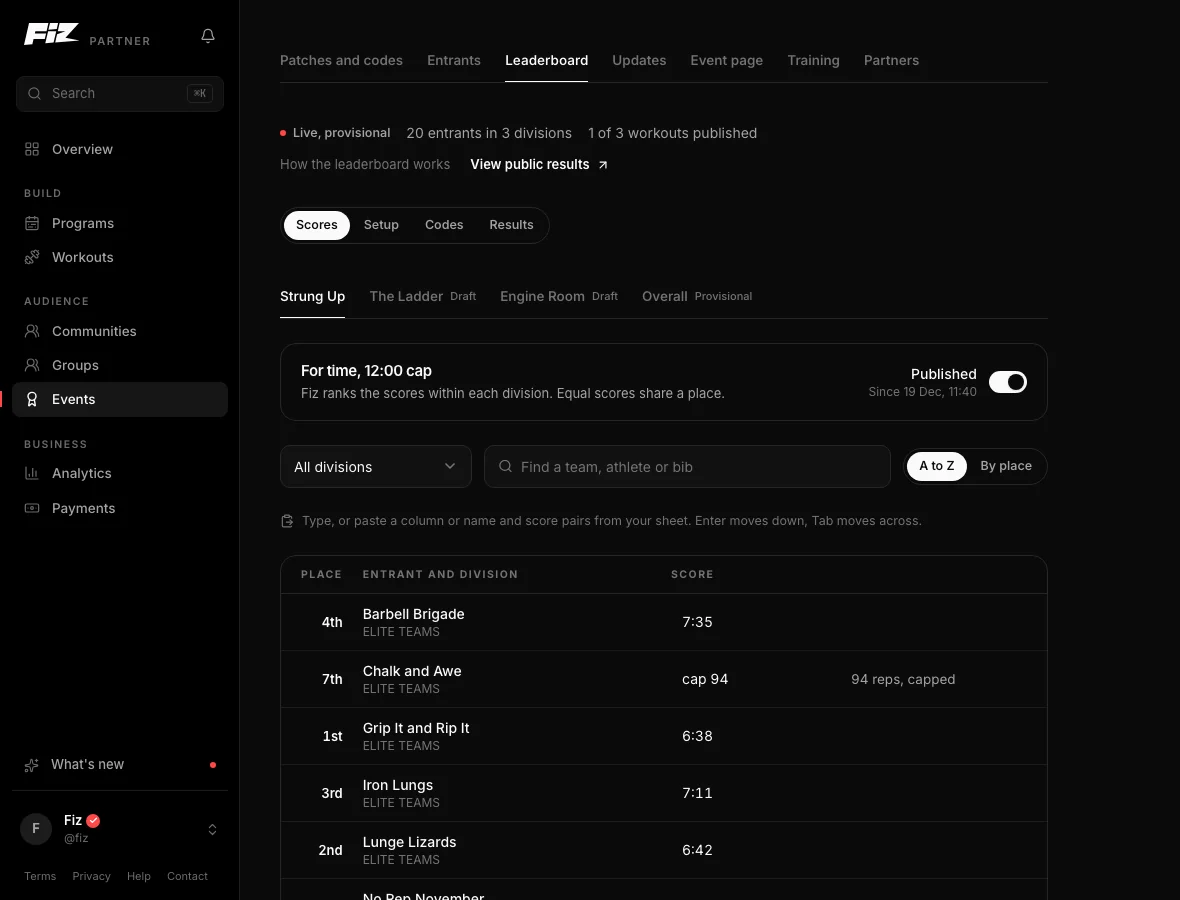
Open the event's Scores tab. Each workout has its own grid with a row for every team or athlete. Type the scores as you would in a spreadsheet, paste a column from one, and save with Cmd or Ctrl and S.
Or verify submissions
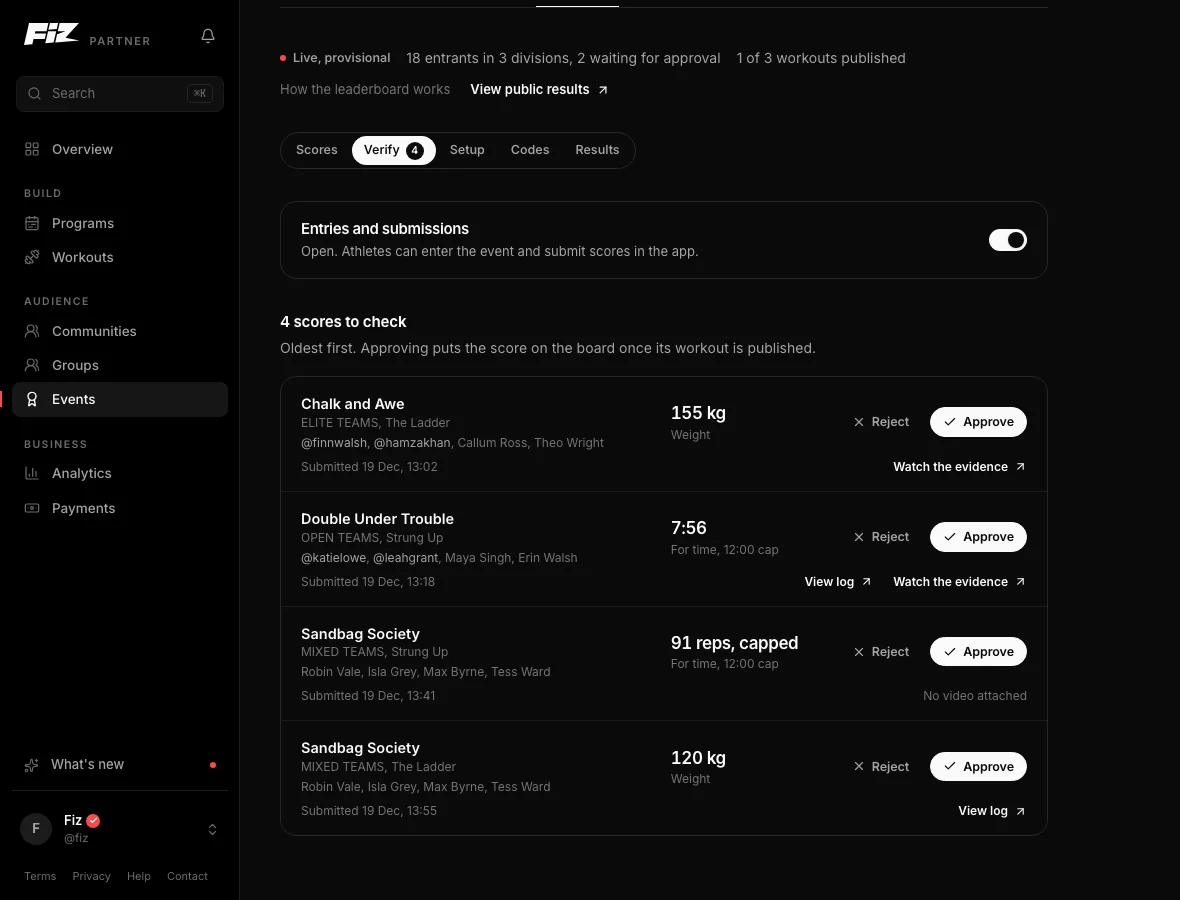
If athletes submit their own scores, they land in the Verify tab, oldest first, with any video link. Approve a score to put it on the board, or send it back with a note the athlete sees in the app.
Publish each workout
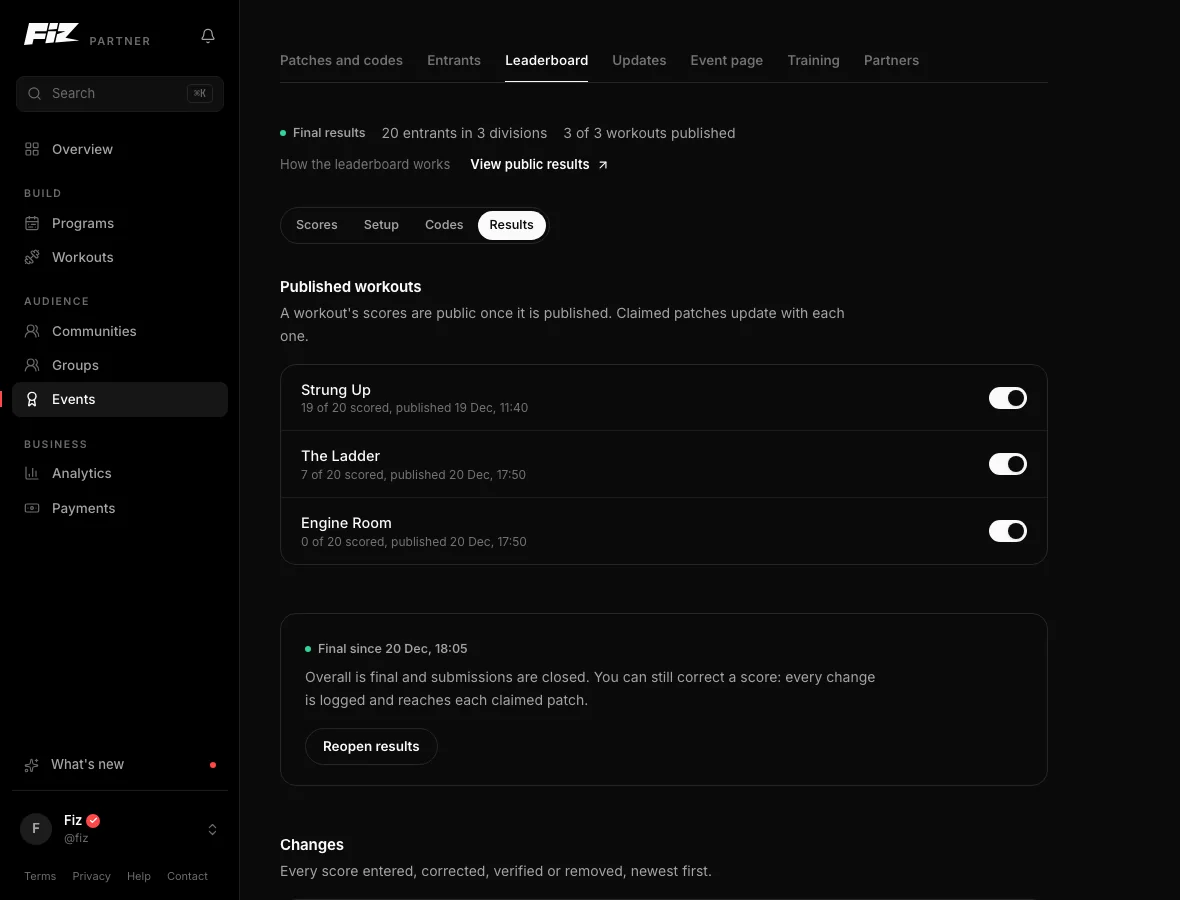
A workout's scores stay private until you publish it. Publishing puts them on the board in the app and on your results page, and tells your followers. Fiz ranks each division and equal scores share a place.
Finalise the results
Overall is provisional until you finalise. Finalising closes the board and, if the event gives patches, sends each athlete their patch with their placing. You can reopen results to fix a mistake, and every change is kept in the change log.
Run it on Fiz for Business30 days free, then £29 a month. Programs, selling, communities and events are all included.
Start 30 days free →Common questions
How is the overall winner worked out?
What about time caps?
Where do athletes see the results?
Still stuck? Email [email protected] and we will help.