
← Help and guides Guide / Running an event

Set up
/ your event.

Create your event on Fiz from your dashboard: the event page, entry, divisions, workouts, the live leaderboard and patches, then send it for review.

For
Organisers
Time
15 to 30 minutes
You need
Fiz for Business (30 days free)

You set up an event yourself at partner.joinfiz.com. The setup saves as you go, shows a live preview of your event page, and only asks about the parts you choose to use.

See everything Fiz for events includes, from entries and payments to live results and patches.

01

Start a new event

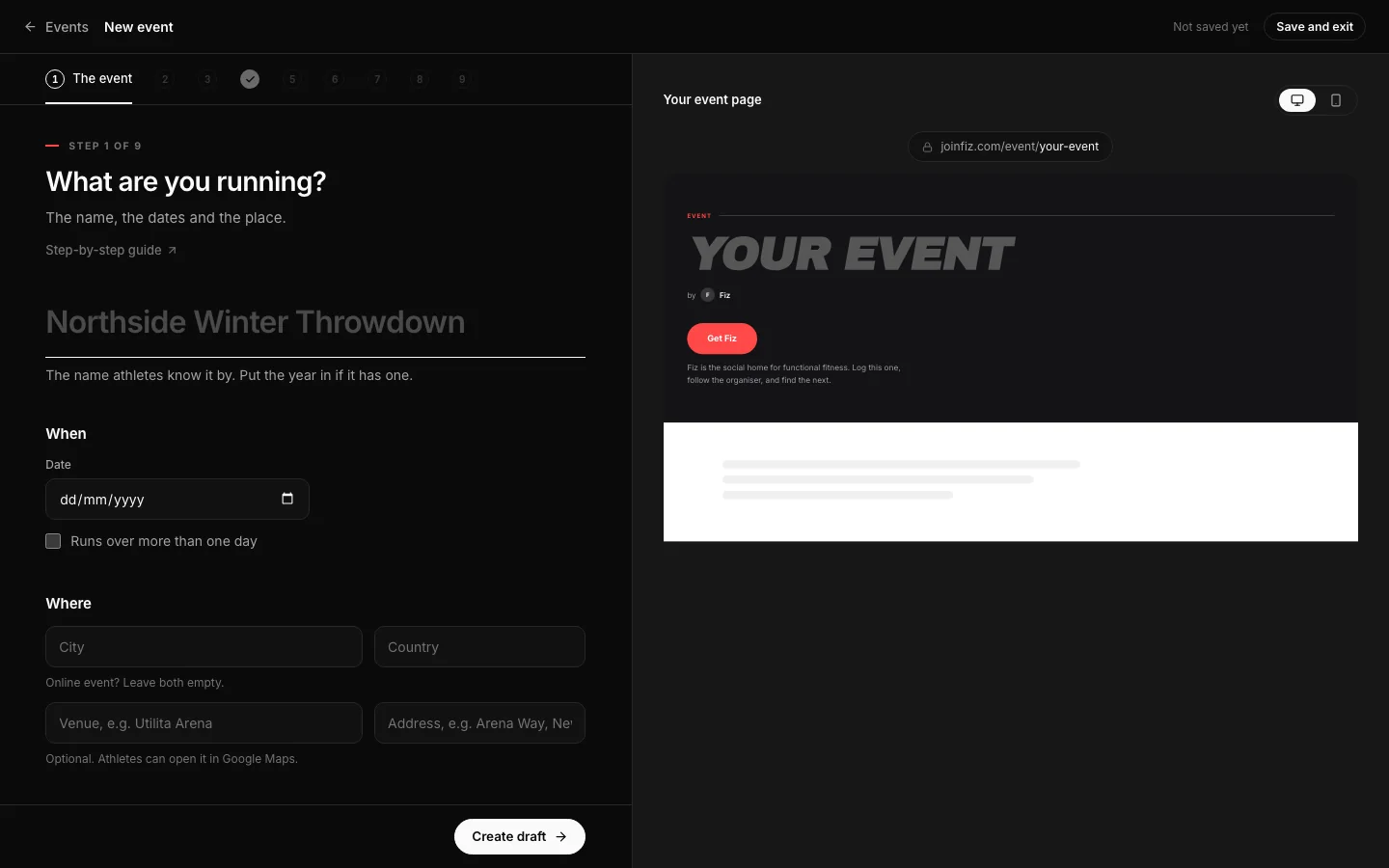
Sign in at partner.joinfiz.com with the account you use in the app, open Events and choose New event. If you are new, start your 30 days free first.
partner.joinfiz.com/events/new
The first step of the event setup in the Fiz dashboard.
The first step of the event setup in the Fiz dashboard. Example data.
02

The event

Give it a name, the dates and the place. Online events are fine too: the place is recommended, never required. Create the draft and the rest saves as you go.

If athletes sign up on Fiz, the start date has to be today or later. An event that only gives patches can be set up after the day, to hand out the codes.

03

Choose what Fiz does

Turn on any of Entry, Leaderboard and Patches, or none for a simple listing. Only the steps for what you turn on come next, and you can change it later.

04

Divisions

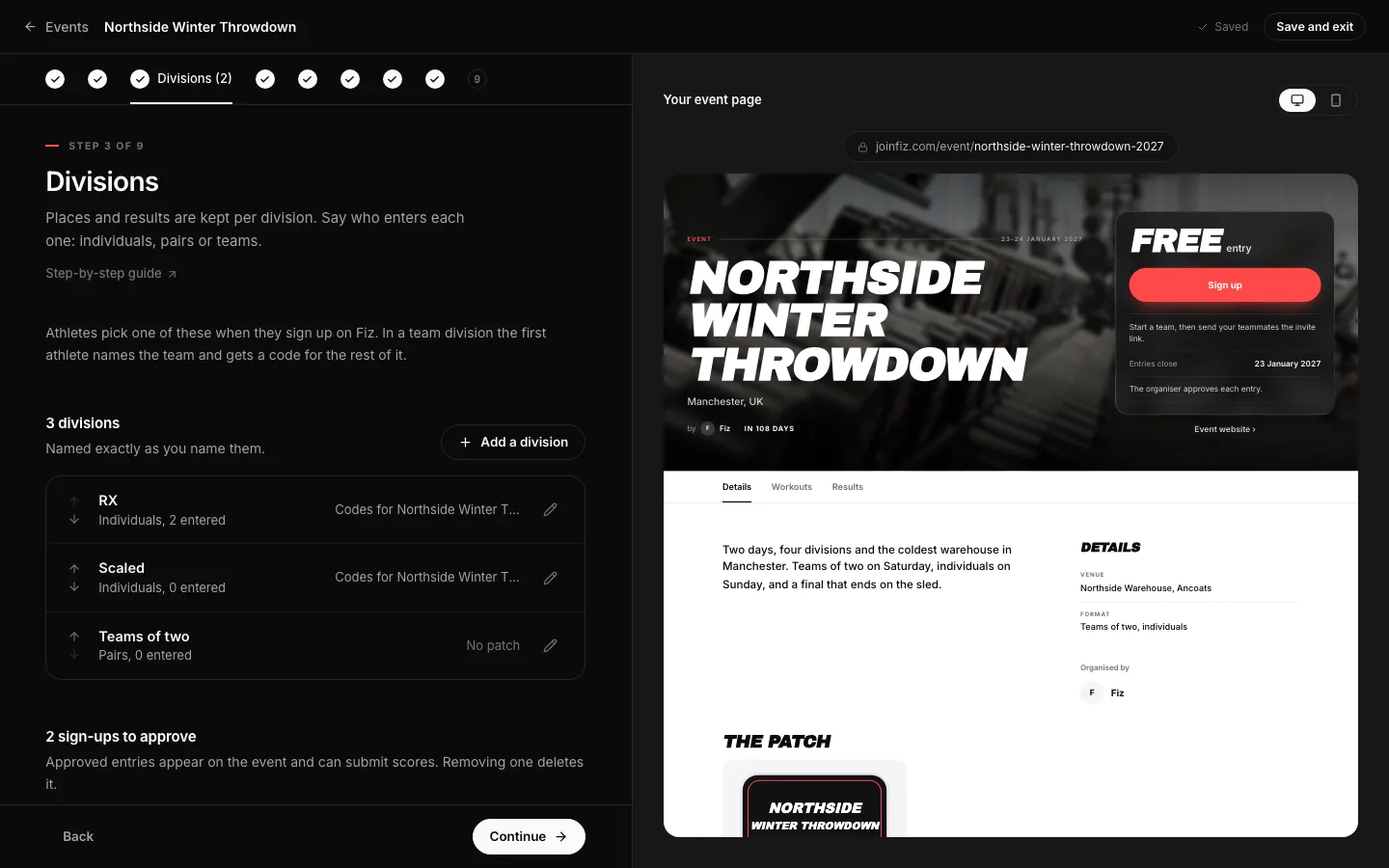
Add your divisions and who enters each one: individuals, pairs or teams. Set a limit on places if you need one. An event with sign-up starts with one division, Open, so a simple event can go straight on.
partner.joinfiz.com/events/setup
The Divisions step: each division with its format and how many have entered.
The Divisions step: each division with its format and how many have entered. Example data.
05

Entry

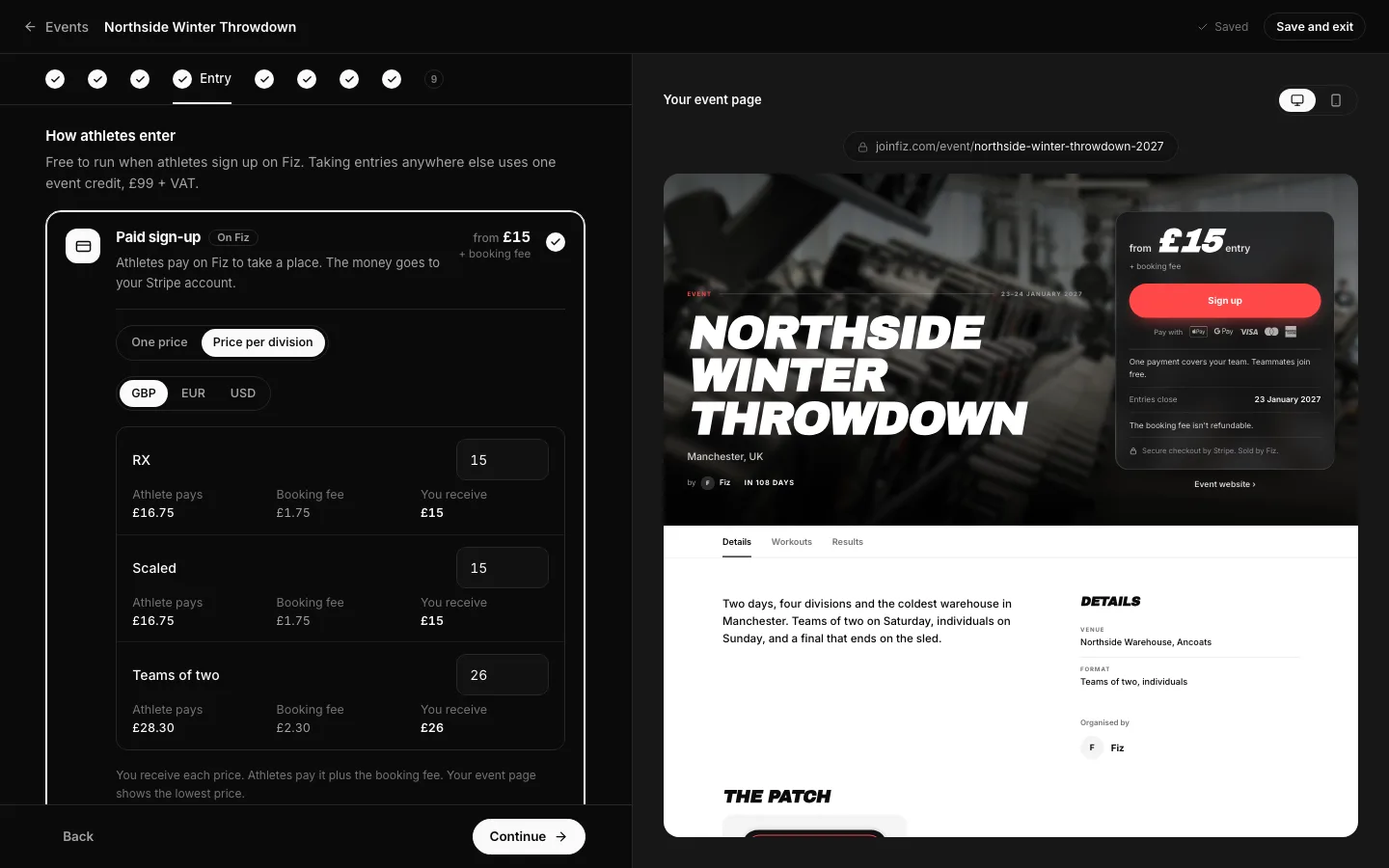
Under How athletes enter, choose paid sign-up on Fiz, free sign-up on Fiz, or no sign-up. For paid sign-up, choose One price or Price per division, and change it any time. See taking paid entries.
partner.joinfiz.com/events/setup
The Entry step with paid sign-up, the price, what the athlete pays and a different price for one division.
The Entry step with paid sign-up, the price, what the athlete pays and a different price for one division. Example data.
06

Workouts and the leaderboard

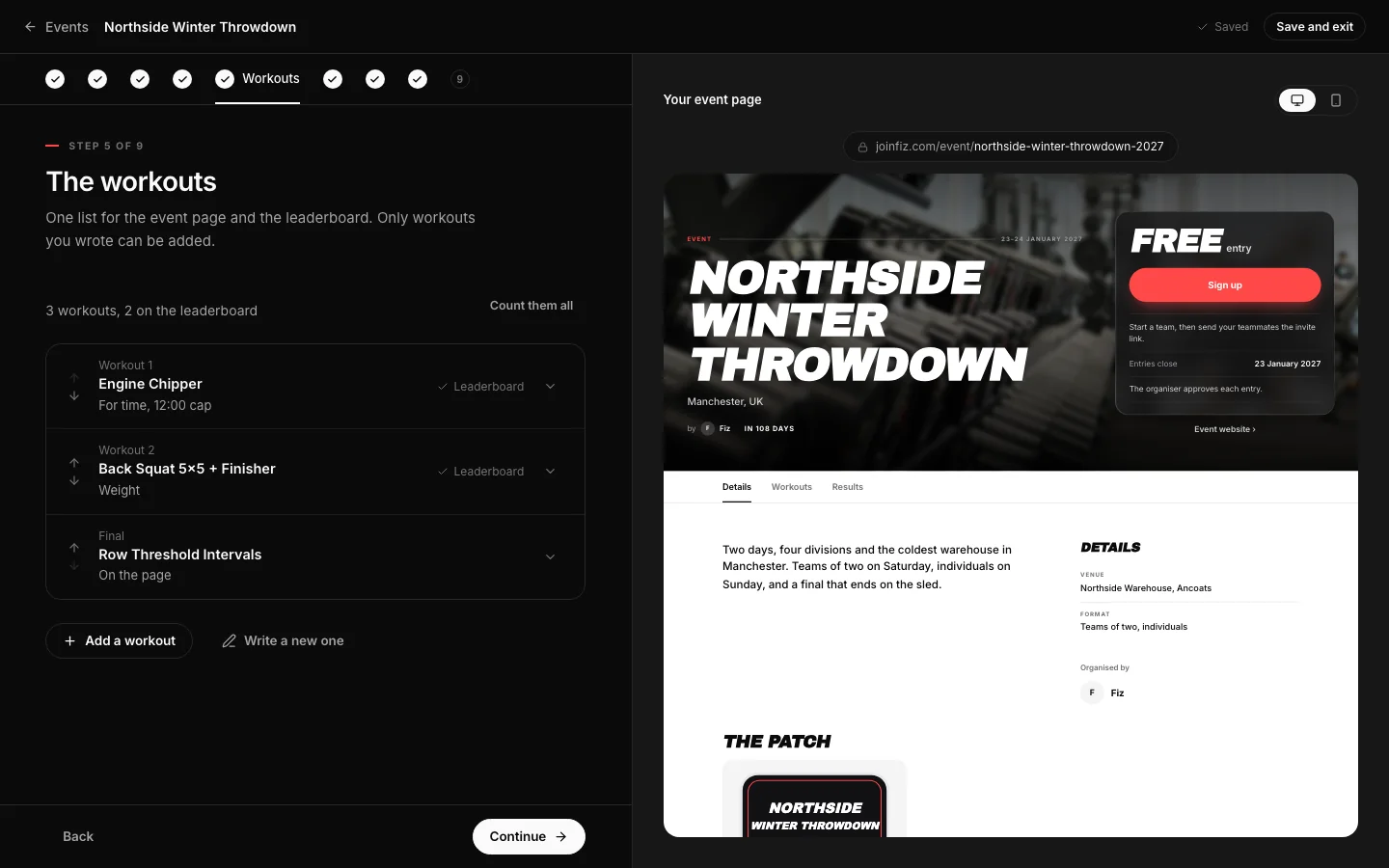
Add the event's workouts. They are your own Fiz workouts, so write any new ones in the builder from this step. Then choose who enters scores: you, or athletes who submit theirs for you to verify.
partner.joinfiz.com/events/setup
The Workouts step with the event's workouts listed.
The Workouts step with the event's workouts listed. Example data.
07

Patches and the page

Design or upload your patch art. With one per division, every division gets the same design, and each one can be Standard, Whiteout or Blackout. Then finish the page: a photo, your own description, the details, prep programs and partners. All of it is optional.
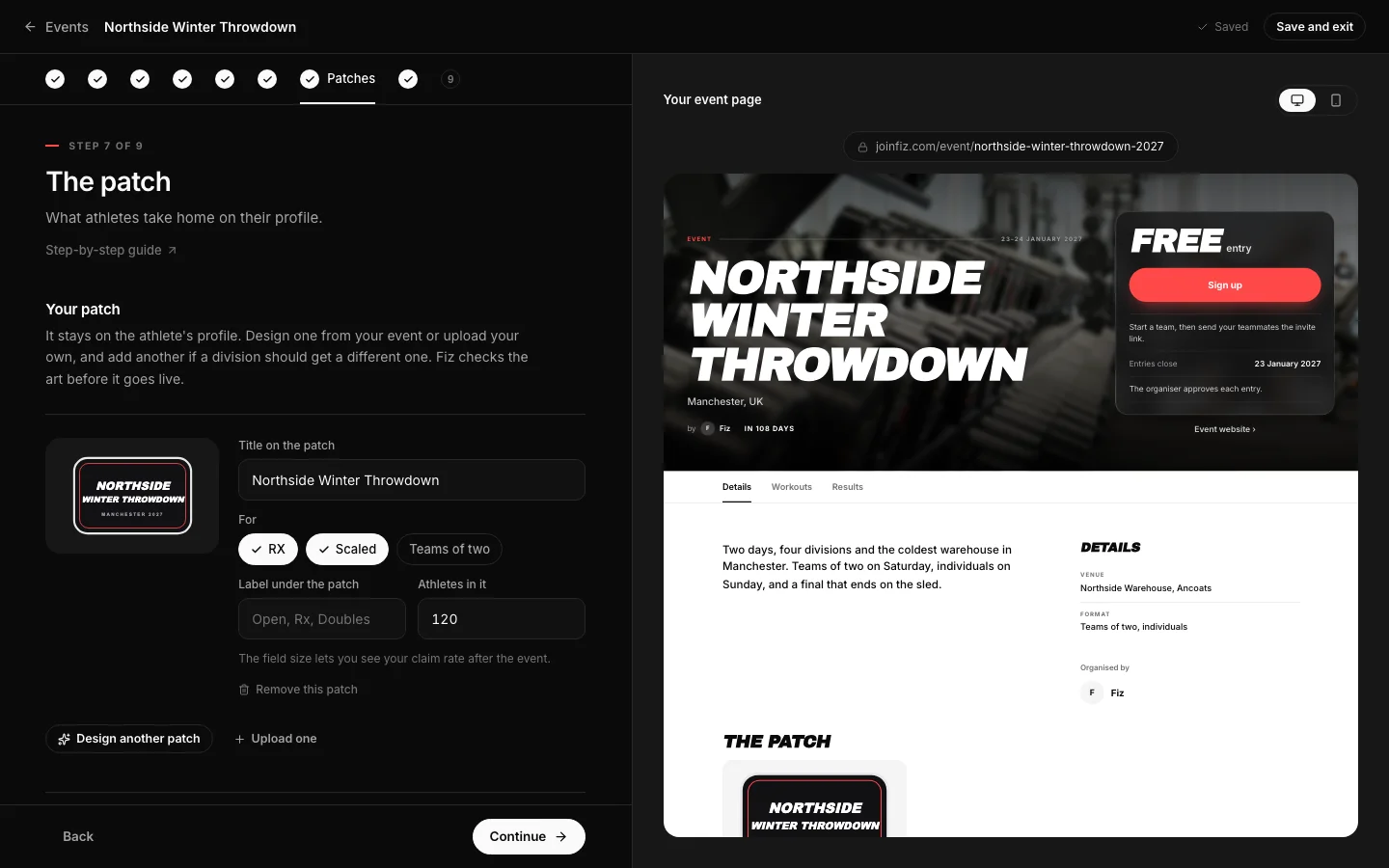
partner.joinfiz.com/events/setup
The Patches step: your art, its title and the divisions it is for.
The Patches step: your art, its title and the divisions it is for. Example data.
08

Review and send it to Fiz

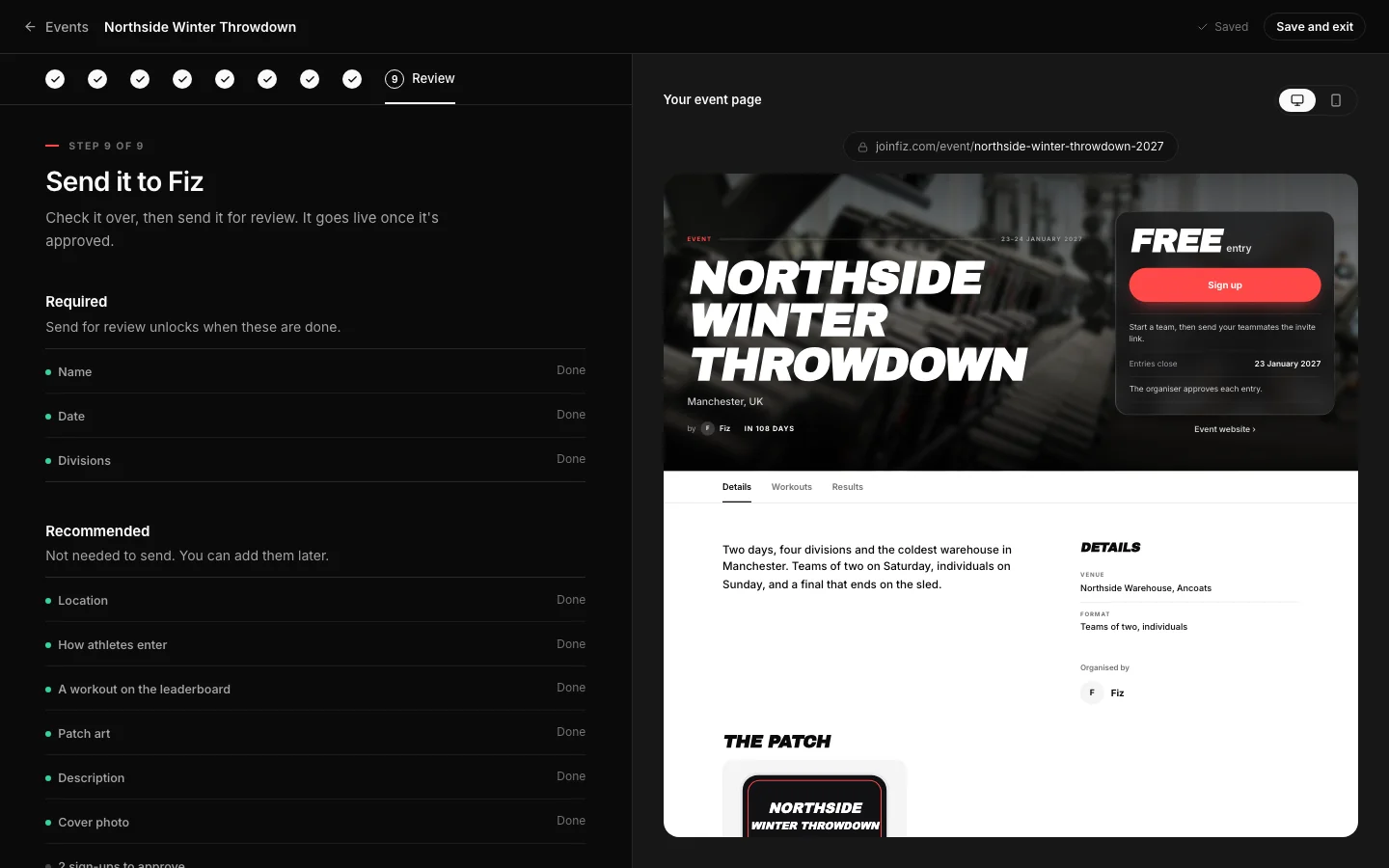
Check it over, preview it in the app, and send it for review. Fiz checks every event before it goes live, then it is in the app and on the web, ready for sign-ups.
What it costs: no event fee when athletes sign up on Fiz. If you take entries somewhere else, the event is £99 + VAT, paid when you send it for review.
partner.joinfiz.com/events/setup
The Review step before sending the event to Fiz.
The Review step before sending the event to Fiz. Example data.

Run it on Fiz for Business30 days free, then £29 a month. Programs, selling, communities and events are all included.

Start 30 days free →

Common questions

How long does review take?
Fiz reviews each event before it goes live. If something needs changing, it comes back to you with a note.
Can I run a private event?
Yes. A link-only event works for anyone with the link but is hidden from Explore, profiles and search engines.
Can I preview it before it is live?
Yes. You can open your own event in the Fiz app before it is approved, from the setup.
Do I need sign-up to give patches?
No. Turn on Patches only and hand out codes on the day. The event page still shows the date, the place and your own sign-up link if you have one.
Can I set up an event that has already happened?
Yes, if it only gives patches. Set it up after the day and hand out the codes. An event that takes sign-ups on Fiz needs a start date of today or later.
My athletes registered somewhere else.
Turn on free sign-up. Your athletes join the leaderboard on Fiz with their own accounts, and you approve each one against your list. You can also give someone a place yourself from the Entrants tab: find them on Fiz, or share a link.
What does Fiz not do?
Fiz does not schedule heats or lanes, manage judges or run gym memberships.

Still stuck? Email [email protected] and we will help.

Fiz for Business

30 days
/ free.

Start 30 days free
Then £29 a month. Programs, selling and events included.