
With paid sign-up, athletes pay by card in the app or on the web and the money goes straight into your own Stripe account. You are the seller, so the price, the refunds and the payouts are yours.
See everything Fiz for events includes, from entries and payments to live results and patches.
Connect Stripe
Paid entry needs a Stripe account so the money can go to you. Connect one from Payments in your dashboard, or from the Entry step. Stripe checks your details, and you can use an existing Stripe account. See how to connect Stripe.
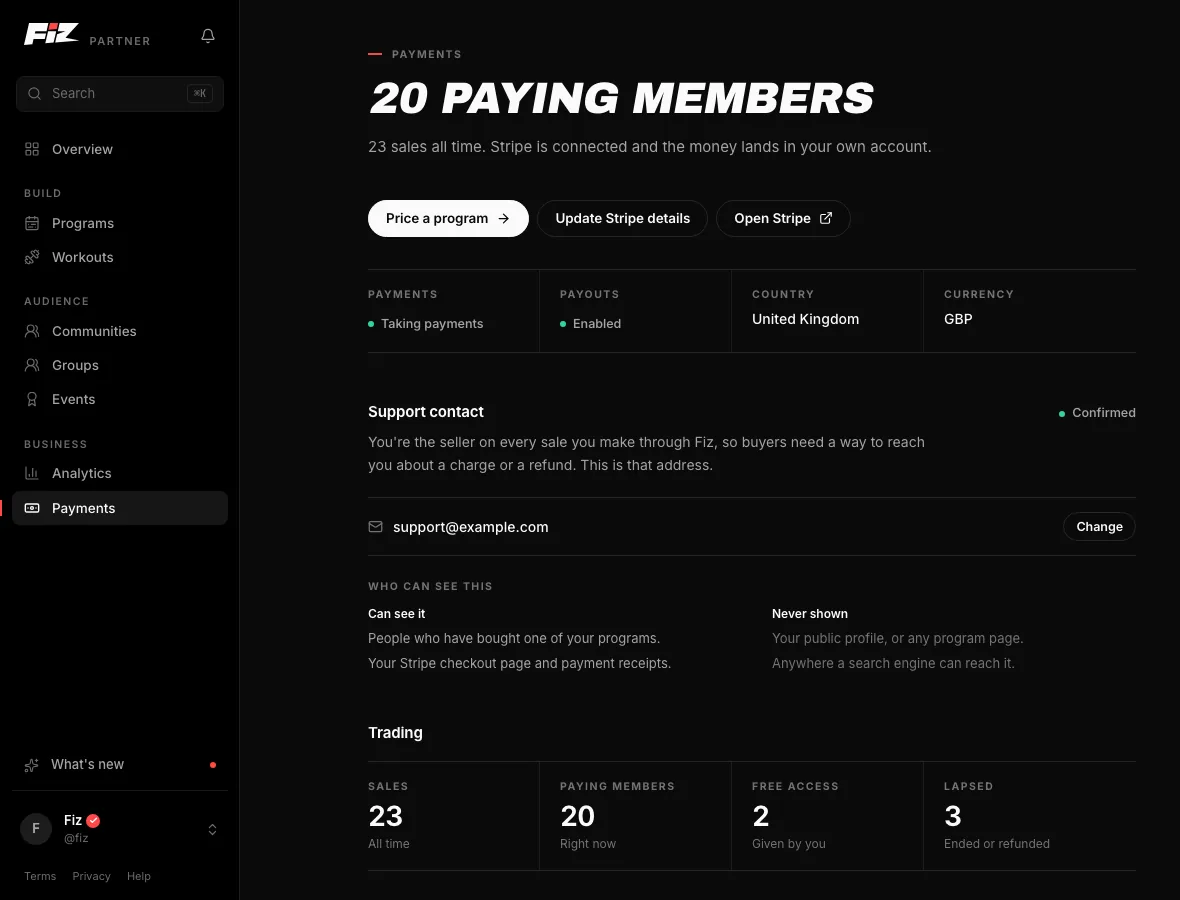
Add divisions and places
Add each division and who enters it: individuals, pairs or teams. Set a limit on places if you need one; leave it empty for no limit. A team counts as one place, and athletes see "3 places left" when a division is nearly full and "Sold out" when it is.
Set your price
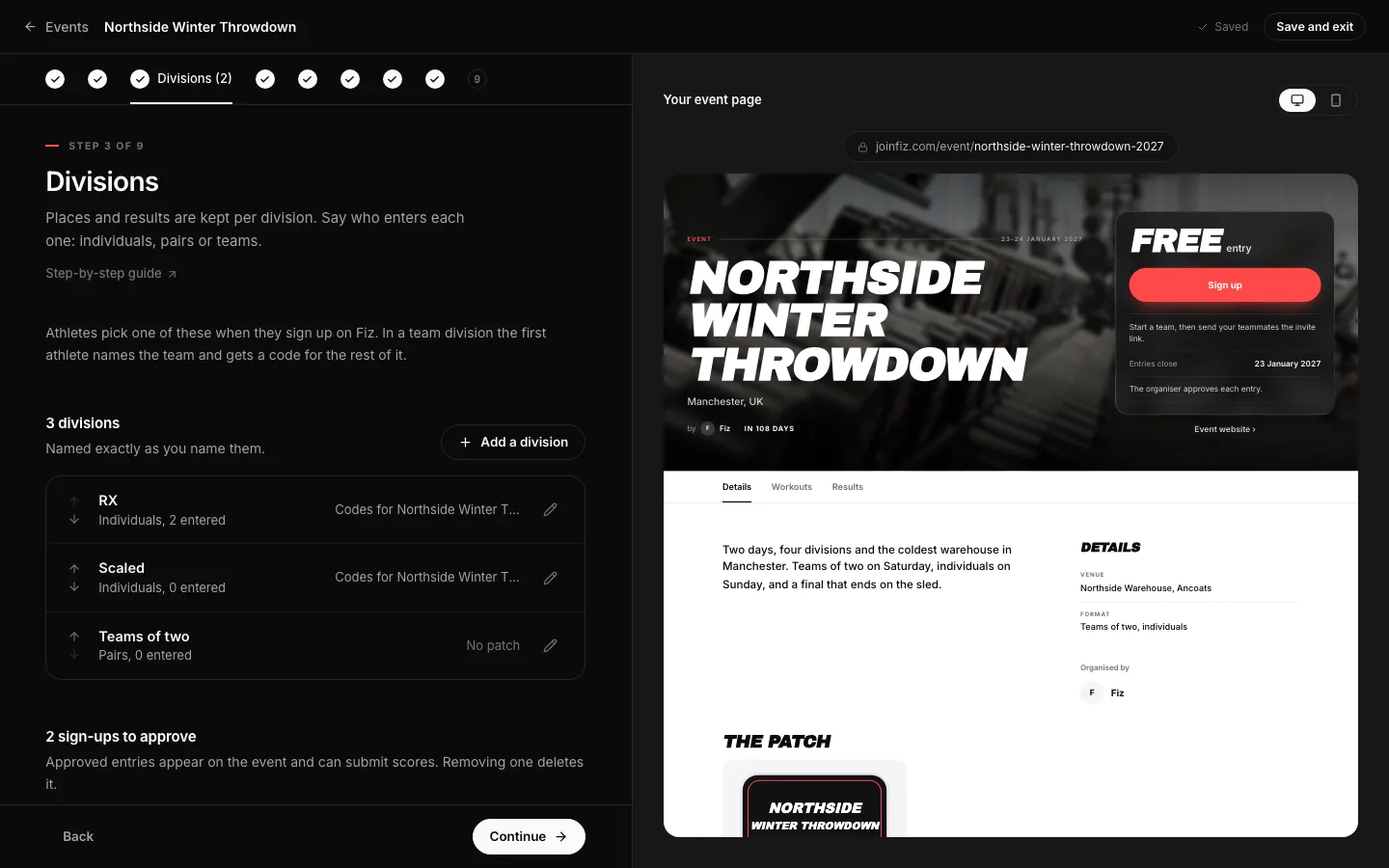
In the Entry step, choose Paid sign-up and set the price per entry and the currency. The step shows what the athlete pays and what you receive before you save it.
To charge some divisions more or less, choose Price per division instead of One price, and set each one. Each division shows what the athlete pays and what you receive. Your event page then shows the lowest price, like from £15.
You can change prices at any time. Only new sign-ups pay the new price; people who already paid keep theirs.
Choose your refund policy
Pick no refunds, refunds up to 7, 14 or 30 days before the event, or write your own. Athletes see it on the event and before they pay. You issue any refund from your Stripe dashboard, and the place frees itself once the refund goes through.
Watch the entries come in
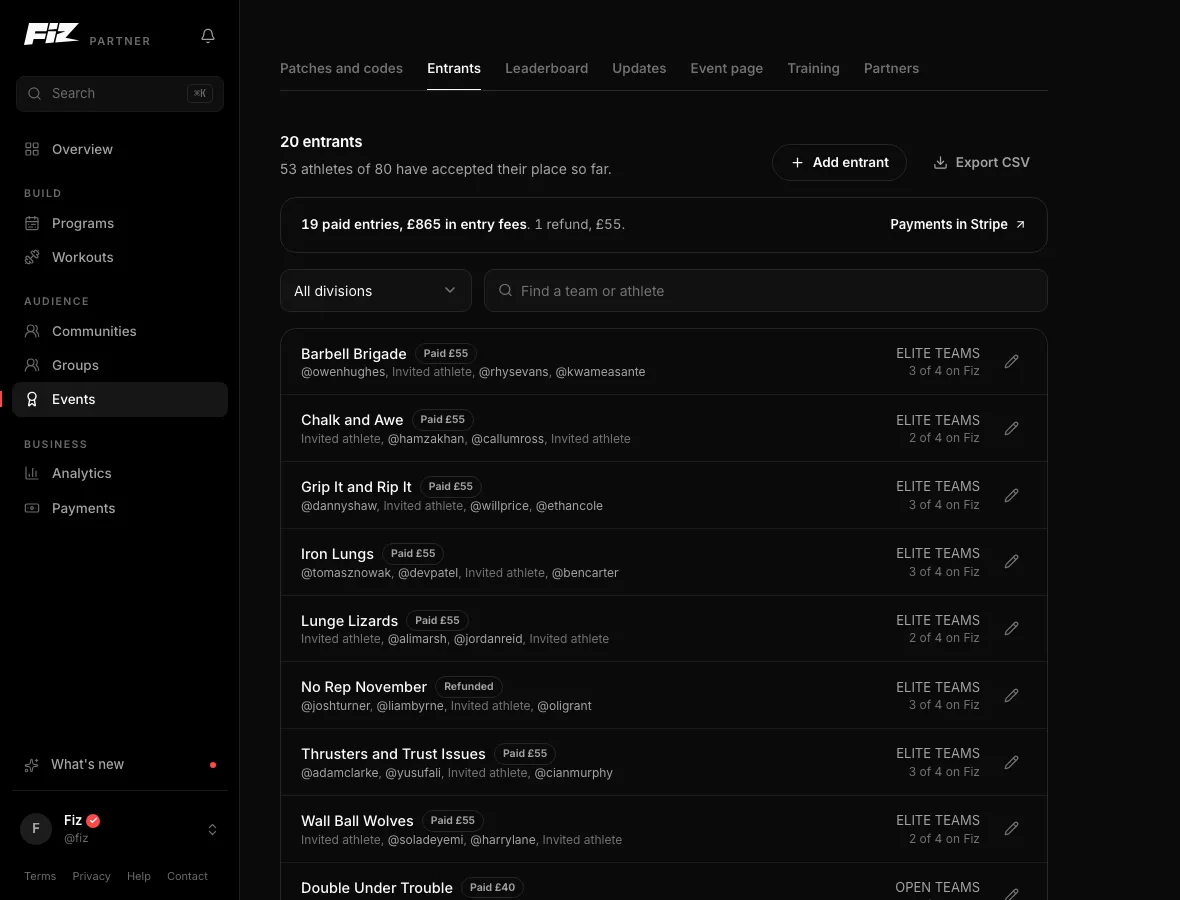
Each paid entry is confirmed when the payment goes through, and you get a notification. Every entrant is in the event's Entrants tab, by division, with what they paid or Refunded. Open an entry to see the payment, or View in Stripe to go straight to it. Export the list as a CSV whenever you need it, for example for check-in on the day.
Sign-up closes at the time you set in the Entry step.
Run it on Fiz for Business30 days free, then £29 a month. Programs, selling, communities and events are all included.
Start 30 days free →Common questions
What does Fiz charge?
Who is the merchant of record?
Can I change the price after people have paid?
Can I do early-bird pricing?
Can I move someone to a division with a different price?
Can I refund from Fiz?
Is the booking fee refunded?
Still stuck? Email [email protected] and we will help.